Window checks
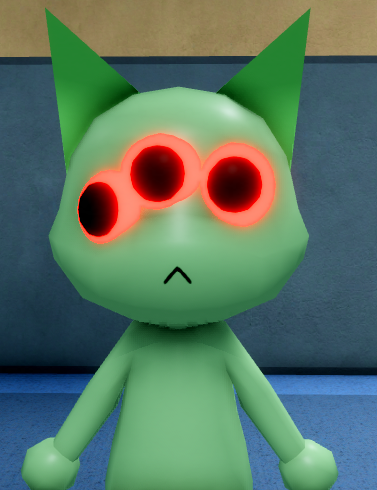
dangerLook for extra or oversized eyes, hollow eyes, realistic teeth, an unnatural smile, twitching, and impossible posture before admitting anyone.
1. Visible model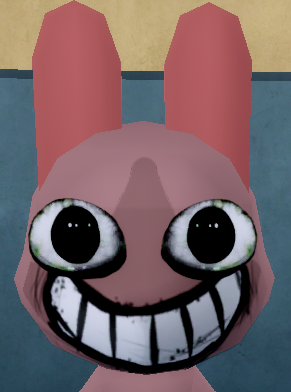
Patient inspection guide
Check Animal Hospital Roblox anomaly signs at the window, in the patient photo, and on CCTV, with clear reject, admit, and recheck rules.
Inspect every patient in the same order: window, photo, then CCTV. A clear impossible feature or camera-only transformation is enough to reject; an unclear single clue should be checked again before admission.
This checklist covers documented signs rather than claiming that every future model or update has already been identified. It also keeps hostile hallway and room events separate from patient anomalies at the front desk.
Use the same sequence for normal and suspicious patients so a dramatic clue does not make you skip another layer.
Look for extra or oversized eyes, hollow eyes, realistic teeth, an unnatural smile, twitching, and impossible posture before admitting anyone.
1. Visible model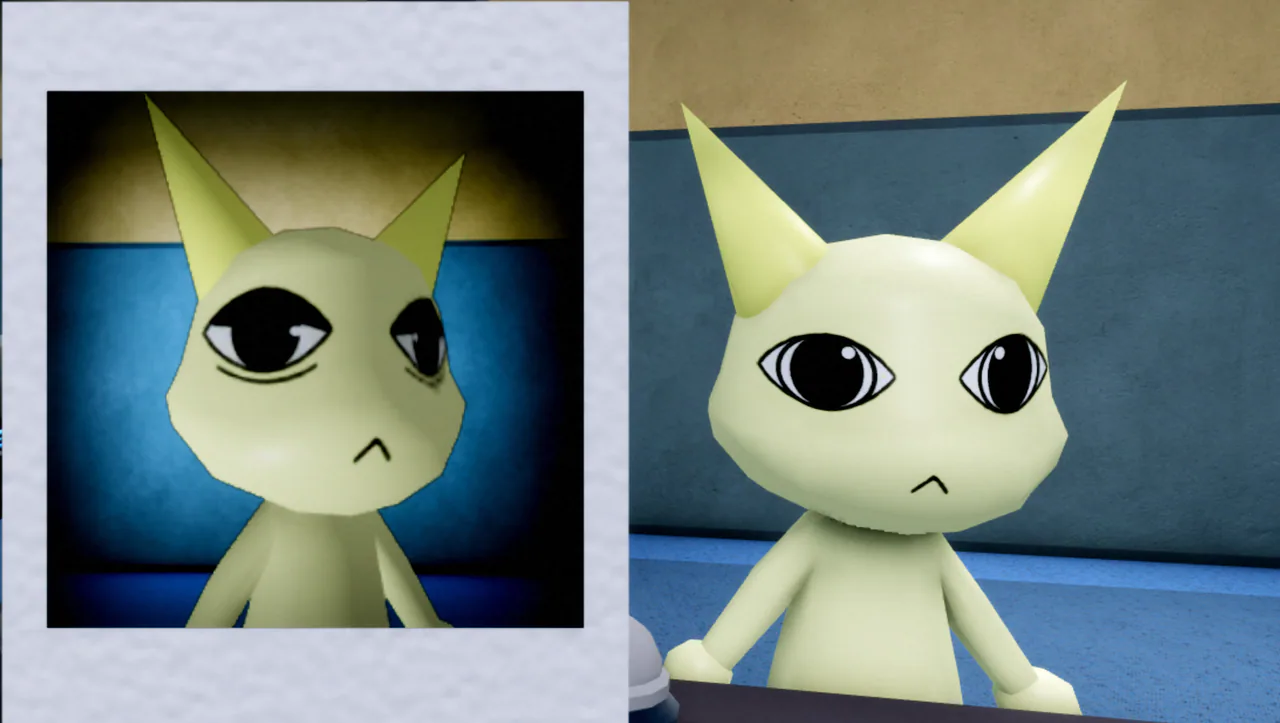
Compare eyes, ears, mouth, fur color, markings, and body shape. Static without a mismatch means recheck; it is not an automatic rejection.
2. Direct comparison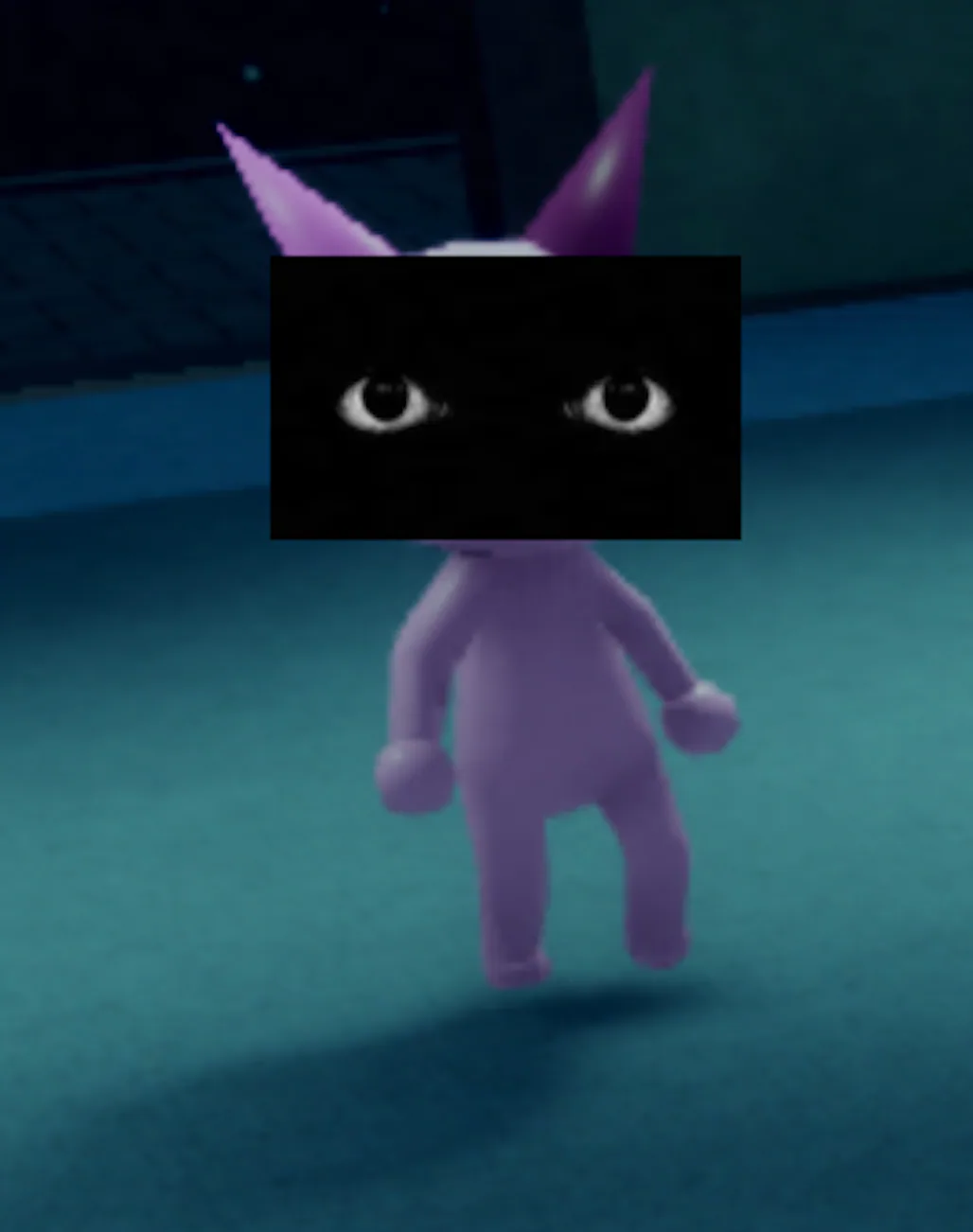
Look for black eyes, distorted movement, a persistent camera stare, or a disguised form that was not visible at the window.
3. Hidden revealMatch the sign to the place where it appears. If low sanity, lighting, or movement makes one detail unclear, repeat that check or ask a teammate before admitting.
| Type | Check | Tell | Action |
|---|---|---|---|
| Extra eyes | Window | A third eye or another clearly impossible eye count | Reject |
| Oversized or hollow eyes | Window | Eyes are abnormally large, empty, or much darker than the normal model | Reject; use CCTV if lighting makes the shape unclear |
| Realistic teeth | Window | Human-like or unusually detailed teeth appear in the mouth | Reject |
| Unnatural smile | Window | The mouth shape or smile does not match the normal patient model | Reject when the shape is clear; compare the photo if unsure |
| Twitching or impossible posture | Window | Repeated twitching, bending, or a body pose the normal model cannot make | Reject or confirm on CCTV before admitting |
| Face mismatch | Photo | Eyes, ears, or mouth in the photo do not match the patient | Reject |
| Color or body mismatch | Photo | Fur color, markings, or body shape differ between the image and patient | Reject |
| Static photo only | Photo | Noise or static appears without another visible mismatch | Recheck the patient and CCTV; static alone is not a reject |
| Black eyes | CCTV | Eyes become black or visibly change only on camera | Reject |
| Distorted body | CCTV | The body stretches, bends, or becomes boneless on camera | Reject |
| Camera stare | CCTV | The patient persistently faces or stares into the camera | Reject when the behavior is clear |
| Disguised-form reveal | CCTV | The camera exposes a Skinwalker-style form hidden at the window | Reject immediately |
Use this table when a patient is ambiguous and the team needs a fast call.
| Situation | Evidence | Action | Confidence |
|---|---|---|---|
| Normal across all layers | Window looks normal, photo matches, CCTV shows no hidden tell | Admit and treat | High enough to proceed |
| Obvious window anomaly | Extra eyes, hollow eyes, realistic teeth, strange smile, twitching, or impossible posture | Reject | High |
| Photo mismatch | Ears, eyes, mouth, body color, or shape does not match the patient | Reject, or recheck CCTV if one feature is unclear | Medium-high |
| Static photo only | Photo noise or static without a visible mismatch or camera reveal | Repeat the visual comparison and cross-check CCTV; do not reject from static alone | Not enough evidence by itself |
| CCTV-only reveal | Black eyes, distorted body, camera stare, or disguised form appears only on camera | Reject | High |
| Behavior suspicion only | Odd timing, route dialogue, or movement with no visual/photo/CCTV clue | Do not invent certainty; run another layer | Low until verified |
These enemies and events can hurt the team, but they are not additional face or photo signs for deciding whether an ordinary patient should enter.
| Encounter | System | What to do |
|---|---|---|
| Suspicious patient | Front-desk inspection | Use window, photo, and CCTV evidence to admit, reject, or recheck. |
| Stalker | Hallway or rare check-in threat | Break line of sight; during the reported check-in interaction, avoid staring and take the requested photo. |
| Bed Monster | Patient-room event | Respond with a documented counter such as Maple Syrup, Organ, or Transplant. |
| Camera Figure | CCTV event | Switch camera, leave CCTV, and repair the affected camera. |
| Mass of Eyes | Ceiling threat | Avoid looking up at it; prolonged viewing drains sanity. |
| Ghost | Post-death threat | Reveal or control it with a documented tool such as Taser, Gun, or Fire Extinguisher. |
Only after the photo and CCTV checks do not show a mismatch or hidden reveal. Some Animal Hospital anomalies are camera-only.
A clear mismatch in eyes, ears, mouth, color, or body shape is a reject signal. If only one small detail is uncertain, pause and verify on CCTV.
Treat static as a warning, not a guaranteed reject. Compare the patient again and check CCTV; reject only when another visible mismatch or reveal supports the decision.
Documented camera signs include black eyes, body distortion, a persistent camera stare, and a disguised-form reveal that was not obvious at the window.
Stalker is handled as a hostile encounter, not as another face or photo variation in the standard patient checklist. Break line of sight and follow the separate encounter guidance.